e-Shram Card Status Check Online: Easy 2026 Guide
If you work in India’s unorganised sector, an e-Shram card status check online takes just a couple of minutes and confirms whether your registration, UAN, and linked benefits like accident insurance are active. This step-by-step e-Shram card status check guide covers the official portal, the UMANG app, and what to do if something goes wrong.
Table of Contents
What Is an e-Shram Card
The e-Shram card is issued by the Ministry of Labour & Employment to unorganised sector workers such as construction labourers, domestic workers, street vendors, migrant workers, and gig or platform workers. Each registered worker gets a lifetime 12-digit Universal Account Number, or UAN, which is portable across India and links you to social security benefits like insurance and pension.
What You Need Before You Check Status
Keep your UAN or Aadhaar number ready, along with the mobile number linked to your Aadhaar, since most status checks rely on an OTP sent to that number. If you registered with your date of birth as a fallback login, keep that handy too. No login password is required for the official portal.
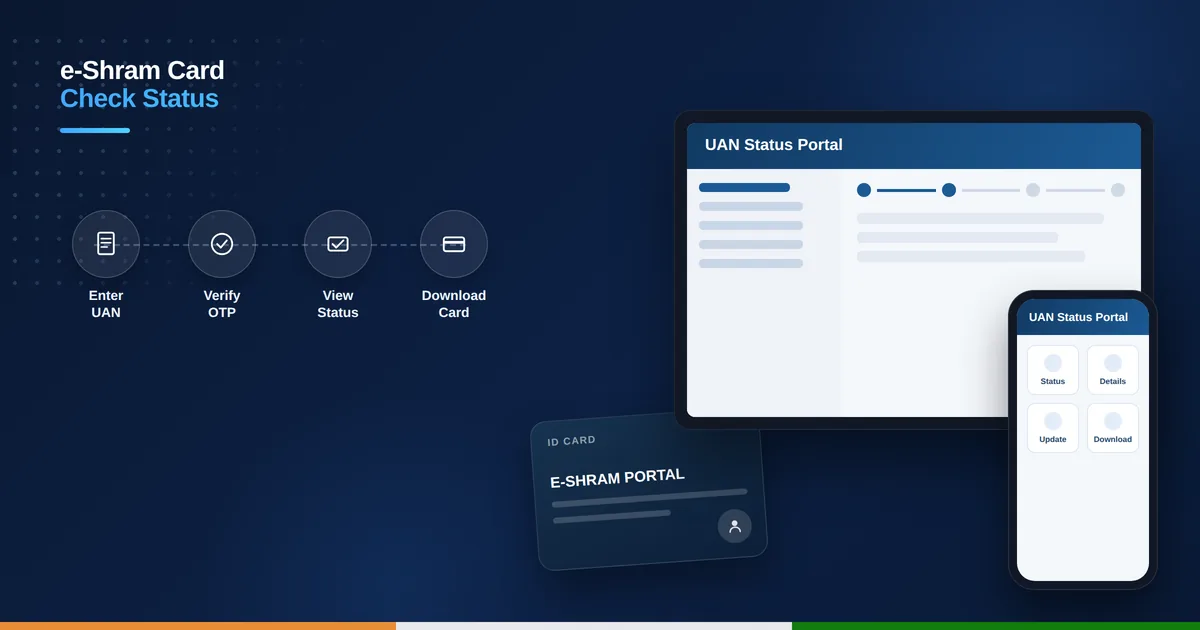
How to Check e-Shram Card Status via the Official Portal
- Visit the official portal at eshram.gov.in on your browser.
- Click on “Already Registered” under the registration section on the homepage.
- Choose to log in using your UAN with date of birth, or your Aadhaar-linked mobile number.
- Enter the captcha code shown and request the OTP.
- Enter the OTP received on your registered mobile number to log in.
- View your dashboard showing registration status, occupation details, and UAN.
Check Status via the UMANG App
Prefer your phone? Install the UMANG app from the Play Store or App Store, search for “e-Shram” within the app, and log in with your registered mobile number and OTP. From there you can view your status, check your UAN details, and download your card without visiting the website.
What Your e-Shram Status Shows
A confirmed status displays your photo, masked Aadhaar number, occupation category, and QR-coded UAN card ready for download. It also confirms your linked benefits, including built-in accidental death cover of ₹2 lakh and partial disability cover of ₹1 lakh, plus eligibility for the PM-SYM pension scheme once you turn 60 — workers wanting guaranteed monthly income earlier can also look at the Atal Pension Yojana online application.
Common Issues and How to Fix Them
If your mobile number is not linked to Aadhaar or has changed, visit your nearest Common Service Centre with your Aadhaar card to update it before trying again. If the OTP does not arrive, wait a couple of minutes and confirm you are checking the number registered with Aadhaar, or try again during off-peak hours when the portal is less busy.
e-Shram Helpline and Support
For phone-assisted status checks or any registration issue, call the e-Shram toll-free helpline at 14434, available daily from 9 AM to 6 PM in ten languages including Malayalam and Hindi. You can also raise a formal complaint through the grievance section on the official portal if your issue is not resolved.
How to Update or Correct Your e-Shram Card Details
Found an error in your name, address, or occupation category after your e-Shram card status check? Log in to the portal using your UAN and OTP, then click “Update” on your dashboard to edit personal details, add a new mobile number, or change your occupation category. Most corrections update instantly once you resubmit the form.
If the update option is not available online for a particular field, such as your date of birth or Aadhaar-linked name, visit your nearest Common Service Centre with your Aadhaar card for assisted correction. Keeping your e-Shram details accurate ensures your insurance and pension benefits are processed without delay when you need them.
Is e-Shram card status check free?
Yes, checking your e-Shram card status on the official portal or UMANG app is completely free of charge.
Can I check e-Shram status without my UAN number?
Yes, you can log in using your Aadhaar-linked mobile number and OTP instead of your UAN, provided your mobile is linked correctly.
What benefits are linked to an active e-Shram card?
An active card links you to accidental death and disability insurance cover, and eligibility for the PM-SYM pension scheme after age 60.
Who do I contact if my e-Shram status check fails repeatedly?
Call the e-Shram helpline at 14434, or visit your nearest Common Service Centre with your Aadhaar card for assisted status checks.