PM Vishwakarma Application Status Check: Easy 2026 Guide
After registering at a Common Service Centre, a PM Vishwakarma application status check tells you exactly which stage your verification has reached, from local body approval right up to your certificate being issued. This guide explains how to check your status online, what each stage means, and what to do if your application is delayed or rejected.
Table of Contents

What the PM Vishwakarma Status Check Tells You
Since PM Vishwakarma applications pass through several levels of verification, your status check shows precisely where your file currently stands, along with any remarks left by the verifying authority. This helps you know whether to wait, follow up with your Common Service Centre, or correct an issue before your application can move forward.
What You Need to Check Your Status
Keep the mobile number you registered with at the CSC handy, since login is done through mobile OTP verification. Your registration or application reference number, given to you at the time of registration, is also useful if the portal asks for it as an alternative login identifier.
How to Check PM Vishwakarma Application Status Online
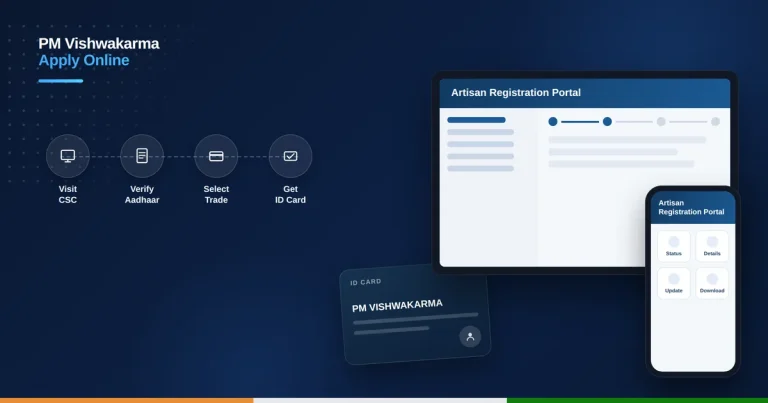
- Visit the official portal at pmvishwakarma.gov.in.
- Click on “Login” and select the applicant or beneficiary login option.
- Enter your registered mobile number and the captcha code shown.
- Click “Get OTP” and enter the OTP received on your phone.
- Open your dashboard to view your current application stage and any remarks.
- Note down your status, or take a screenshot for your records if needed.
Understanding Each Status Stage
Your application typically moves through submitted, then Gram Panchayat or Urban Local Body verification, followed by District Implementation Committee review, and finally Screening Committee approval. Once approved, you become a registered beneficiary eligible for your certificate, ID card, and scheme benefits. A rejected status usually comes with a reason shown on your dashboard. Running a PM Vishwakarma application status check at each of these stages helps you know exactly where your file stands.
Checking Status via CSC or the Mobile App
If you registered through a Common Service Centre operator, you can return there and ask them to check your status on your behalf using the same login details. The official PM Vishwakarma app, available on the Play Store, mirrors the same login and status flow if you prefer checking from your own phone.
What to Do If Your Status Is Pending Too Long
Verification moves through several offices, so some delay is normal, but if your status has not changed in several weeks, first contact the CSC operator who filed your application. If the issue remains unresolved, approach your District Industries Centre or District Implementation Committee office for a manual status inquiry. A quick PM Vishwakarma application status check during this window will usually show “Under Verification” rather than an error.
What to Do If Your Application Is Rejected
A rejected status usually points to a specific reason, such as missing documents, an eligibility mismatch, or a duplicate application. Review the reason shown on your dashboard, correct the issue with help from your CSC, and reapply if appropriate. You can also raise a formal grievance through the portal or the helpline if you believe the rejection was made in error.
Typical Processing Timeline and Helpline
There is no fixed statutory deadline for verification, and it can take several weeks depending on the backlog at each level. If you have not yet applied and want the full registration steps, see our PM Vishwakarma scheme online application guide. For any help with your status, call the toll-free helpline at 1800-267-7777. Doing a PM Vishwakarma application status check weekly is the best way to catch a rejection early and respond in time.
Tracking Status After Training and Loan Application
Once your registration is approved, your dashboard continues to track further stages, including whether you have enrolled in skill training, received your toolkit incentive, and applied for your collateral-free loan. Each of these steps appears separately, so a fully approved artisan status does not always mean every benefit has already been claimed.
It is worth logging into your dashboard periodically even after approval, since new benefit stages, training batch schedules, and loan application windows are updated there. Keeping your contact details current ensures you receive SMS or portal alerts whenever a new stage becomes available for you to act on.
Is PM Vishwakarma status check free?
Yes, checking your application status on the official portal or through the mobile app is completely free.
How long does PM Vishwakarma verification usually take?
There is no fixed deadline, but verification through the multiple approval levels can take several weeks depending on backlog.
What should I do if my PM Vishwakarma application is rejected?
Check the rejection reason on your dashboard, correct it with help from your CSC, and reapply or file a grievance if needed.
Can I check my status without visiting a CSC again?
Yes, you can check your status yourself on pmvishwakarma.gov.in or the official app using your registered mobile number and OTP.