How to Download Driving Licence Online in 2026
You can download driving licence online copies through DigiLocker, the Parivahan Sarathi portal, or the mParivahan app, all in just a few minutes using your DL number and date of birth. These digital versions are legally valid under the Motor Vehicles Act, 2019, and are accepted at traffic checkpoints in place of the physical card. This guide covers all three methods along with what to do if your DL details do not match.
What You Need to Download Driving Licence Online
Keep the following details ready before you begin, regardless of which method you choose:
- Your driving licence (DL) number
- Your date of birth as recorded on the licence
- A mobile number for OTP verification
How to Download Driving Licence Online via DigiLocker
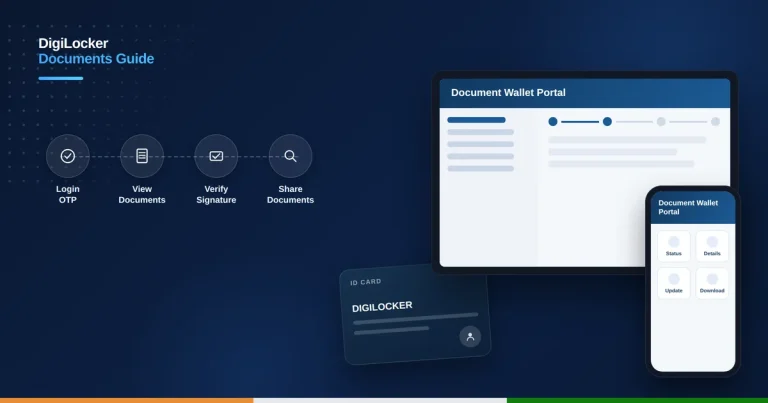
Follow these steps to download driving licence online through DigiLocker:
Download your driving licence online via DigiLocker in six steps:
Open DigiLocker
Visit digilocker.gov.in or open the DigiLocker app.
Sign up or log in
Register using your mobile number and verify with the OTP sent to it.
Search for Driving Licence
In the documents section, search for “Driving Licence” and select the Ministry of Road Transport and Highways option.
Enter your DL details
Type in your DL number and date of birth exactly as they appear on your licence.
Fetch your licence
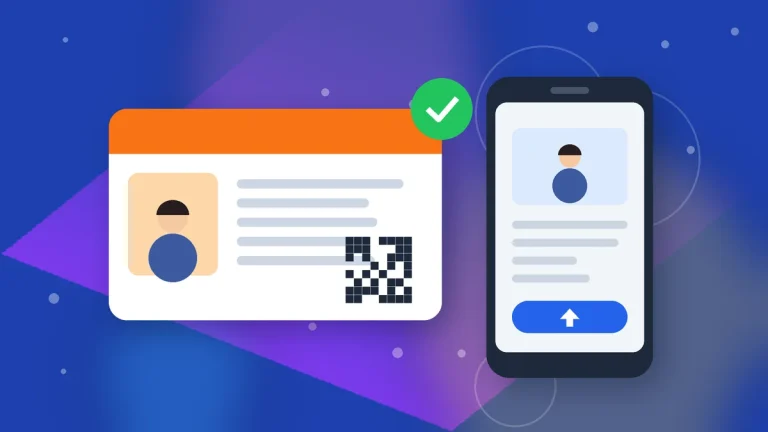
Your driving licence is retrieved from the national database and displayed with a verified QR code.
Download as PDF
Save the digital copy as a PDF for offline access or printing.
Downloading via Parivahan Sarathi Portal
You can also download driving licence online through the Parivahan Sarathi portal. Visit parivahan.gov.in, go to Driving Licence Related Services, select your state, and log in or register if you are new. Click “DL Services,” then “Print DL” or “DL Extract,” enter your DL number, date of birth, and the captcha, verify through the OTP sent to your registered mobile, and download your DL as a PDF.
Using the mParivahan App
Install mParivahan from the Google Play Store or Apple App Store, register or log in with your mobile number, tap “My DL” on the home screen, and enter your DL number and date of birth. Your digital licence appears instantly with a QR code that traffic officials can scan to verify it. Unlike DigiLocker, mParivahan displays your licence in the app rather than offering a traditional downloadable PDF.
Is the Digital Driving Licence Legally Valid?
Yes. Documents available on DigiLocker and the mParivahan app are officially recognised as authentic substitutes for the physical driving licence under the Motor Vehicles Act, 2019. Traffic police across India are required to accept the digital version shown from these platforms in place of the physical card.
Common Mistakes to Avoid
- Entering the date of birth in the wrong format
- Mistyping the DL number, which varies in format by state
- Using an unofficial “parivahan sewa” lookalike website instead of the real parivahan.gov.in
- Assuming mParivahan generates a downloadable PDF like DigiLocker does
Driving Licence Download FAQs
Is the DigiLocker driving licence copy valid at traffic checkpoints?
Yes. Digital driving licences on DigiLocker and mParivahan are legally recognised under the Motor Vehicles Act, 2019, and are accepted in place of the physical card.
What details do I need to download driving licence online?
You need your DL number and date of birth as recorded on your licence, along with a mobile number for OTP verification.
Can I download a driving licence PDF from mParivahan?
mParivahan displays your digital licence with a QR code inside the app rather than offering a downloadable PDF; use DigiLocker or the Parivahan Sarathi portal for a PDF copy.
What if my driving licence details don’t match on the portal?
Double-check your DL number and date of birth for typos; if the mismatch continues, contact your issuing RTO to verify your record.
Is there an official fee to download driving licence online?
No. Downloading your driving licence through DigiLocker, Parivahan Sarathi, or mParivahan is free of cost.
Final Thoughts
Downloading your driving licence online takes just a few minutes and gives you a legally valid backup you can show anytime, even if you misplace the physical card. Stick to the official DigiLocker, Parivahan, and mParivahan platforms to keep your details secure. For more government service guides, see our coverage of Aadhaar card download and PAN card apply online.