UAN Activation Online: Easy 2026 Process
If you’ve just joined a new company or never logged into EPFO before, your Universal Account Number exists in the system but stays dormant until you complete UAN activation online. An inactive UAN blocks you from viewing your passbook, raising an online claim, or updating KYC details. The process itself takes less than five minutes and needs nothing more than your UAN, registered mobile number, and a one-time OTP.
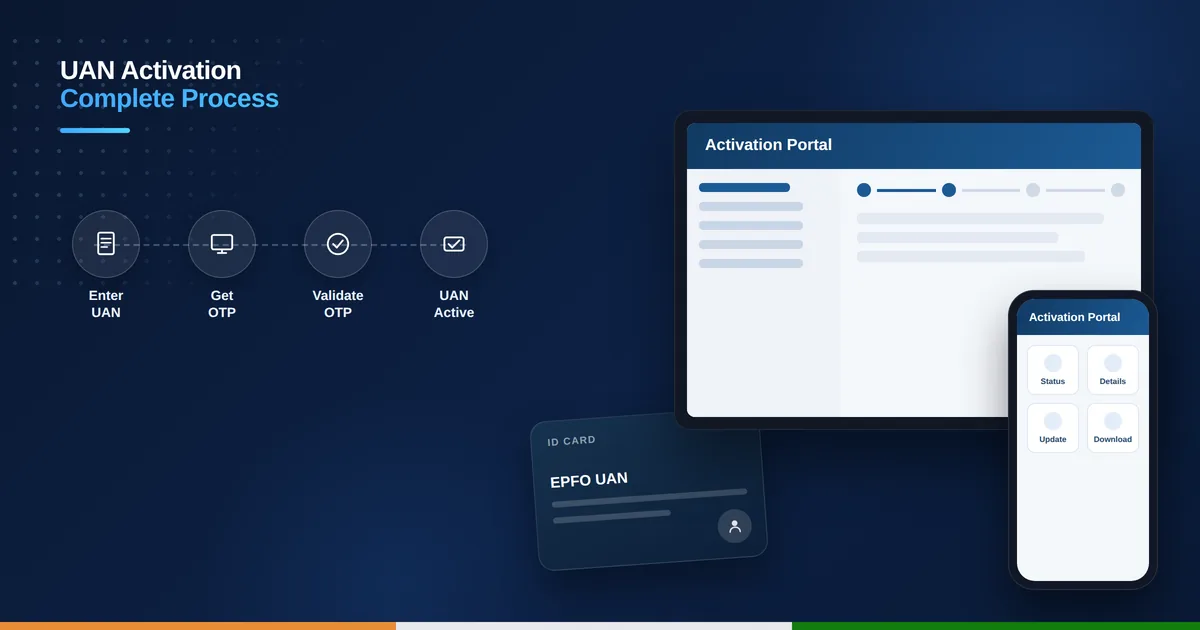
Table of Contents
Why UAN Activation Matters
Activation is the one-time step that switches your UAN from a passive record to a working login. Until you activate it, EPFO’s systems recognize the number exists but won’t let you sign in, check your balance, or submit a withdrawal request. Employers often assume this step happens automatically alongside enrollment, but it doesn’t — every member has to activate their own UAN individually on the portal.
What You Need Before Activating
Keep your 12-digit UAN ready, found on your payslip or the SMS EPFO sends after your first PF contribution. You’ll also need your PF member ID and the exact mobile number registered with your employer’s HR records, since the activation OTP only reaches that number. If your mobile number has changed, ask HR to update it in the EPFO system before you attempt activation.
How to Activate UAN Online on the EPFO Portal
- Go to the EPFO member e-Sewa portal (unifiedportal-mem.epfindia.gov.in).
- Click “Activate UAN” under the “Important Links” section on the homepage.
- Enter your UAN, name, date of birth, and mobile number exactly as per EPFO records.
- Enter the captcha and click “Get Authorization PIN.”
- Agree to the disclaimer and enter the OTP sent to your mobile.
- Click “Validate OTP and Activate UAN” to complete the process.
- EPFO sends a system-generated password to your mobile — use it for your first login.
Once you log in with this temporary password, change it immediately under the “Change Password” option. From here you can go straight to your dashboard and check your UAN status online to confirm activation succeeded, or head to your passbook to review your latest contributions.
Activate UAN via the UMANG App
If you’d rather use your phone, install UMANG, search for EPFO under All Services, and tap “Activate UAN.” Enter your UAN, mobile number, and the OTP you receive, then confirm. The app mirrors the same backend as the web portal, so activation through UMANG is just as valid and takes about the same amount of time.
Common Reasons UAN Activation Fails
Most failed attempts trace back to a mobile number mismatch — the number you enter must exactly match what your employer submitted to EPFO. Name or date of birth spelled differently from Aadhaar records is the second most common issue. If activation keeps failing, verify your details on the portal’s “View” > “Profile” section once you can log in, or ask your HR team to correct the discrepancy at their end.
If you activated your UAN a while ago but still see limited access, check whether your employer has approved your KYC documents from their end — activation and KYC approval are two separate steps, and both need to be complete before you can raise claims or transfer funds between accounts.
What Happens After Activation
Once your UAN activation online is confirmed, you unlock the full member portal — passbook downloads, online claims, KYC updates, and nomination filing all become available immediately. It is worth completing your KYC (Aadhaar, PAN, bank account) right after activation too, since an active UAN with incomplete KYC still cannot process withdrawal requests.
Once you are logged in, take a moment to check your EPF balance online as well, so you know your account reflects the correct contribution history from day one.
Can I activate UAN without a registered mobile number?
No, EPFO sends the mandatory OTP only to the mobile number on file with your employer; you must get that number corrected first if it has changed.
Is UAN activation online a one-time process?
Yes, you activate your UAN only once for life; after that you simply log in with your password for every future visit, even if you switch employers.
What if I forgot my UAN and need to activate it?
Use the “Know Your UAN” tool on the EPFO portal with your Aadhaar, PAN, or member ID to retrieve your UAN first, then proceed with activation.
Does UAN activation online cost anything?
No, UAN activation is completely free on both the EPFO member portal and the UMANG app; never pay any third party claiming to activate it for a fee.