DigiLocker Account Registration: Step-by-Step 2026 Guide
Setting up a DigiLocker account registration takes just a few minutes and gives you a free, secure digital wallet for your important certificates. This guide walks you through the sign-up process, the difference between Aadhaar-based and non-Aadhaar accounts, and what to do right after your account is created in 2026.
Table of Contents

What You Need Before You Register
Keep a valid Indian mobile number ready, since it is mandatory for every account and used for OTP verification. If you plan to register using Aadhaar, keep your 12-digit Aadhaar number handy with the mobile number linked to it. If you prefer not to use Aadhaar, you will instead need your full name, date of birth, gender, and an email address. Having these details ready before you start your DigiLocker account registration prevents delays midway through the form.
Aadhaar-Based vs Non-Aadhaar Registration
DigiLocker allows registration without Aadhaar using just your mobile number, name, date of birth, and email. However, non-Aadhaar accounts cannot automatically fetch official “Issued Documents” from government databases, since that feature relies on Aadhaar-linked verification. You can start without Aadhaar and link it later from your profile to unlock full functionality.
How to Register for a DigiLocker Account Online
- Visit digilocker.gov.in or open the DigiLocker mobile app and tap “Sign Up”.
- Enter your mobile number and submit.
- Enter the 6-digit OTP sent to your mobile within 10 minutes.
- Choose to continue with Aadhaar, or select the non-Aadhaar option.
- If using Aadhaar, enter your Aadhaar number and verify via OTP or biometric.
- If not using Aadhaar, enter your name, date of birth, gender, and email.
- Create your username and password to complete registration.
Registering via meriPehchaan
You can also sign up through meriPehchaan, India’s National Single Sign-On, which creates one shared login usable across DigiLocker and other connected government platforms. Registration needs just your mobile number, name, and gender, with optional Aadhaar or PAN-based eKYC afterward for full verification across all participating services.
Setting Up Your Security PIN
After verifying your mobile number, you can set a 6-digit Security PIN in addition to your password for faster and more secure access, especially on the mobile app. Your username cannot be changed once created, but your password and PIN can be reset later through the forgot password option using OTP verification.
What to Do Immediately After Registration
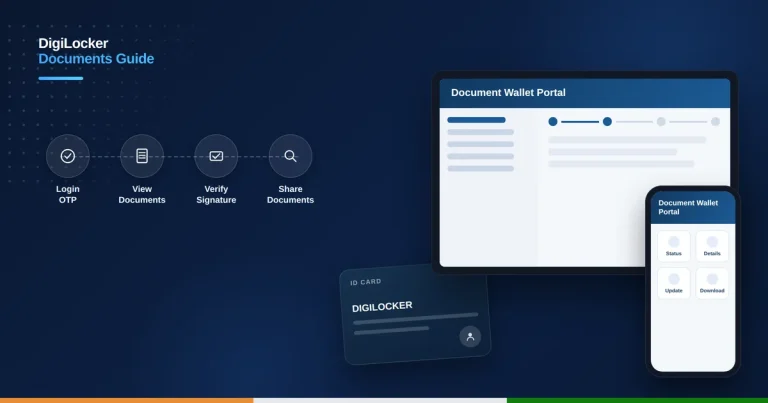
If you registered without Aadhaar, link it from your profile settings as soon as possible to unlock automatic fetching of official certificates. Once set up, visit the Issued Documents section to start pulling your Aadhaar, PAN, marksheets, or driving licence. Our DigiLocker documents access and verification guide explains this process in detail.
Is DigiLocker Registration Free
Yes, creating and using a DigiLocker account is completely free, with no charge for registration, document storage, or downloads at any stage. There is no official minimum age restriction stated, though a valid Indian mobile number is required, which in practice often means minors register with a family member’s assistance.
Common Signup Issues and Fixes
If your OTP does not arrive, confirm you entered the correct mobile number and wait a couple of minutes before requesting a new one. If Aadhaar verification fails, check that your Aadhaar is linked to the mobile number you are using, since a mismatch is the most common reason this step does not go through.
Signing In After Registration
Once your account is created, you can log in using your username and password, your mobile number with OTP, or your Security PIN on the mobile app for quicker access. If you registered through meriPehchaan, the same credentials work across every connected government platform, so you do not need separate logins for each service.
It is a good idea to bookmark digilocker.gov.in or keep the mobile app installed, since you will likely use your account repeatedly for college applications, job verifications, and everyday identity proof. Reviewing your profile details periodically also helps you catch any mismatch with your Aadhaar record before it causes a document-fetching issue later.
Can I register for DigiLocker without Aadhaar?
Yes, you can register using just your mobile number, name, date of birth, and email, though features will be limited.
Is DigiLocker account registration free?
Yes, creating and using a DigiLocker account is completely free at every stage.
What is meriPehchaan?
meriPehchaan is India’s National Single Sign-On, offering one shared login usable across DigiLocker and other government platforms.
Can I change my DigiLocker username later?
No, your username cannot be changed once created, though your password and security PIN can be reset anytime.