DigiLocker Document Verification Online: Easy 2026 Guide
Whether you are an employer checking a candidate’s certificate or simply confirming your own downloaded file is genuine, DigiLocker document verification online takes just a moment using the QR code or digital signature on the file. This guide explains exactly how verification works, what it reveals, and what to do if a document does not check out.
Table of Contents
Why DigiLocker Document Verification Matters
Since DigiLocker documents carry the same legal validity as physical originals, being able to confirm authenticity matters just as much for the person presenting a document as for the college, employer, or agency receiving it. Verification confirms the document came from the stated issuer, has not been altered, and remains valid.
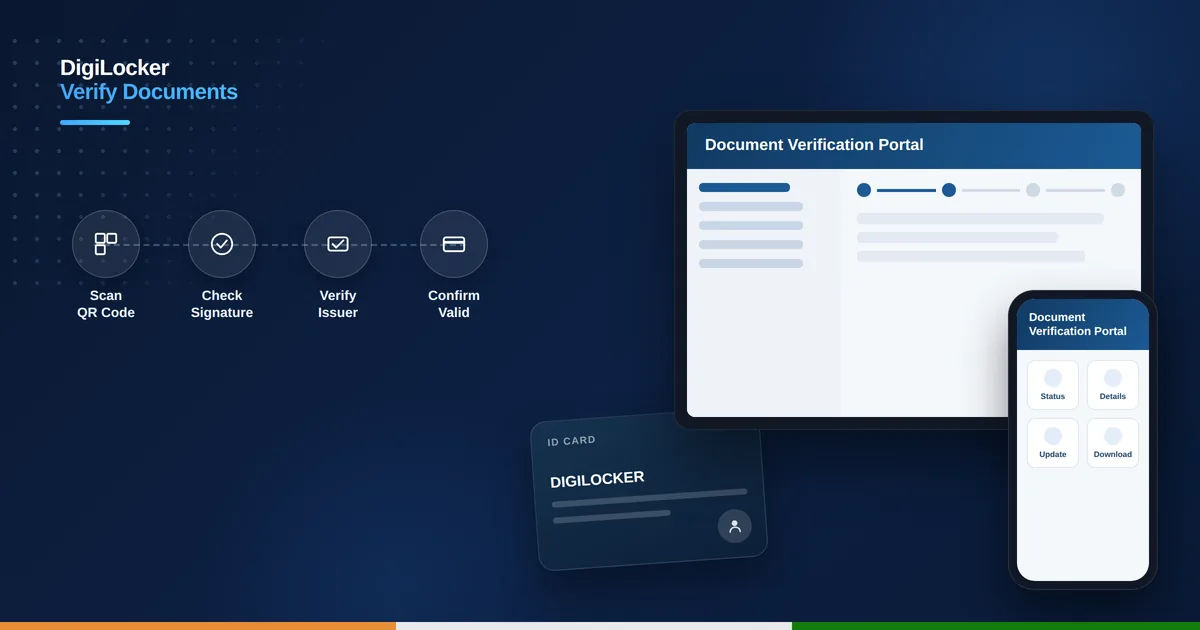
Verifying a Document Using Its QR Code
Every document issued through DigiLocker carries an encrypted QR code. Scanning it with the QR scanner built into the DigiLocker mobile app decrypts and displays the authentic issuer record instantly, letting anyone confirm the document in front of them genuinely matches what the issuing authority originally released.
Checking the Digital Signature in a PDF
DigiLocker-issued PDFs are digitally signed using certificates issued under India’s Controller of Certifying Authorities. Opening the file in Adobe Reader may initially show a “Signature Not Verified” warning simply because the certifying authority is not in your default trust list. Adding the signer’s certificate to your trusted certificates and revalidating shows a green “Signature Valid” confirmation along with issuer details.
How to Verify a DigiLocker Document Step by Step
- Open the document you want to verify, either the PDF or its printed copy.
- Locate the QR code printed on the document.
- Open the DigiLocker app and use its built-in QR scanner on the code.
- Compare the scanned result with the details on the document in hand.
- For a PDF, open it in Adobe Reader and click the digital signature panel.
- Add the signer’s certificate to your trusted list and revalidate to confirm it is genuine.
How Organizations Verify Documents in Bulk
Employers, colleges, and agencies handling many applicants can register as a DigiLocker Partner and use the official API to pull and verify documents directly from issuer databases with the applicant’s OTP-based consent. This removes manual upload and checking altogether, since documents are fetched and confirmed automatically at the source.
What Verification Reveals
A successful verification shows the issuing department or authority, the date the document was issued, the document type and reference details, and confirmation that the signature has not been broken by any edit since it was issued. Any tampering after signing invalidates the digital signature immediately.
What to Do If Verification Fails
If a QR scan or signature check does not confirm the document, avoid relying on a screenshot or forwarded copy as proof, and ask the person for the original file downloaded directly from their own DigiLocker account. If the issue persists, contact DigiLocker support with the document type and issuer name so they can look into it further.
Is Document Verification Free
Yes, verifying a document through the QR code, digital signature check, or the standard Partner API consent flow is completely free of charge. If you have not yet set up your own account, see our DigiLocker account registration guide or our guide to accessing your DigiLocker documents to get started.
Verifying a Document Without the DigiLocker App
If you do not have the DigiLocker app installed, any standard QR scanner on your phone camera can usually read the code, though it may redirect you to a verification page rather than showing the full decrypted record the official app provides. For the most reliable result, especially for formal verification purposes, use the official DigiLocker app rather than a generic third-party scanner.
For PDF documents, most modern PDF readers on both desktop and mobile can display basic signature information even without additional setup, though the level of detail shown varies by app. Adobe Reader remains the most thorough option for checking signer certificate details, since it explicitly shows the certifying authority and signing timestamp once the certificate is trusted.
How can I verify a DigiLocker document is genuine?
Scan the QR code on the document using the DigiLocker app, or check its digital signature in a PDF reader.
Is DigiLocker document verification free?
Yes, verifying a document through the QR code or digital signature check is completely free of charge.
Why does Adobe Reader show my document as unverified?
This usually happens because the certifying authority is not yet in your trusted certificate list, not because the document is fake.
How do employers verify documents in bulk?
They can register as a DigiLocker Partner and use the official API to pull and verify documents directly with applicant consent.